Changes in Teaching and Learning Environment
Relocation of Mac Lab
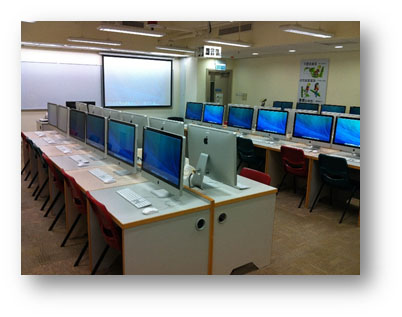
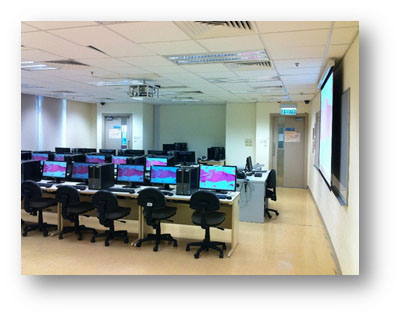
To improve management of Teaching Studios, the Mac Lab (AC2-5607) has been relocated to room AC2-4101 on 4/F. All Mac machines, lockers, benches and the working environment are maintained. Room AC2-5607 is now equipped with advanced PCs providing two operating systems (Windows 7 and Windows 8.1) for general use (see table below). Instructors should pay attention to this change while making Mac Lab booking. Below please find the details on the room layouts and the configurations of the computers.
New Mac Lab at AC2-4101
New Teaching Studio at AC2-5607
|
Location
|
Instructor Desk Configuration
|
Workstation Configuration
|
Operating System
|
Terminal Number
|
|---|---|---|---|---|
|
Mac Lab
AC2-4101
|
|
(Instructor workstation)
Apple Mac Pro
(Student workstation)
Apple iMac
|
OS X 10.9.4
|
5001 - 5029
(29 seats)
|
|
Teaching Studio
AC2-5607
|
|
(Instructor and student workstation)
DELL OptiPlex 990
|
Windows 7
Windows 8.1
|
4601 - 4630
(30 seats)
|
For more information on Teaching Studios, please visit the CSC web at
Upgrade OS to Windows 8.1 Update 1
The Windows 8 operating system has been upgraded to its latest version 8.1 Update 1. This is an enhanced environment in which Microsoft has incorporated many changes proposed by users. The environment is more user-friendly now. Also, the software applications have been updated under this computing environment. Most applications that are in the Work Desk Menu of Windows 7 can also be found in the Work Desk Menu of Windows 8.1 Update 1.
A few new changes are listed below:
- Include Power button and Search button on the Start screen
Now you can search or shut down the PC conveniently by pressing the buttons on the Start screen.

- Metro apps can be pinned to taskbar
Now Metro apps can be pinned to the taskbar so that you can launch them directly from the Desktop.
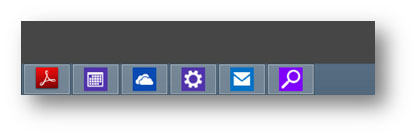
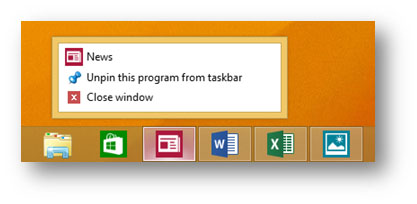
- Display running Metro Apps in the taskbar
Now the running Metro apps will appear in the taskbar making it easier for users of PCs to switch to or close the apps along the taskbar.
The Computing Services Centre (CSC) has prepared some FAQs and an article for the new Windows OS. Please visit the following web pages for more information:
- Frequently Asked Questions for Windows 8.1
http://www.jvrhmfr.xyz/csc/deptweb/support/faq/win8.1_faq.htm - Moving Forward with Windows 8.1 and Internet Explorer 11 (Network Computing Issue 78 - December 2013)
http://wikisites.cityu.edu.hkhttps://wikisites.cityu.edu.hk/sites/netcomp/articles/Pages/MovingForwardwithWindows81andInternetExplorer11.aspx
Duplex printing as the default for quota-controlled fast printers
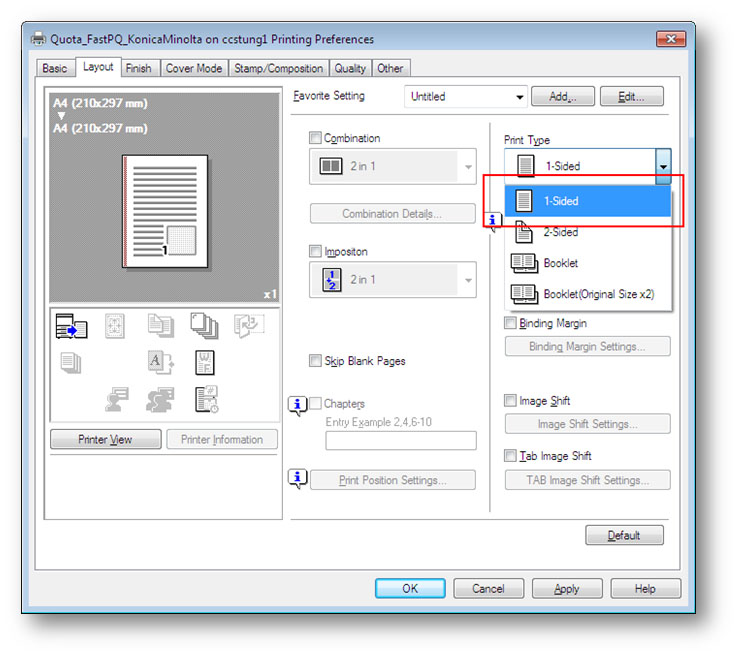
Green computing is our common practice. Double-sided or duplex printing helps to print fewer sheets of paper. According to usage statistics, around 70% of print jobs are in duplex printing mode. To go green further, all print queues connected to the quota-controlled fast printers have been configured to duplex printing mode by default. However, users can select simplex mode printing if necessary - simply select the “1-Sided” option from the Print Type drop-down list under the Layout tab of Printing Preferences.